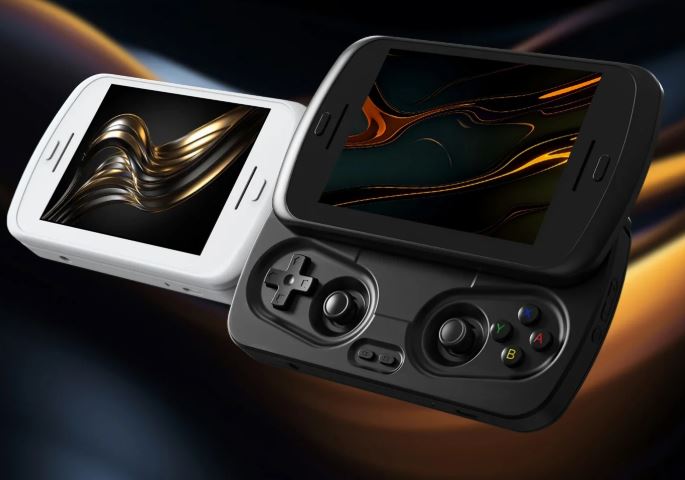
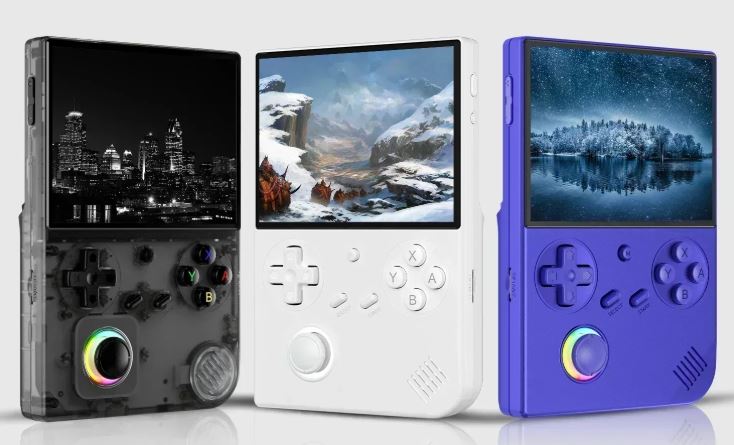
POWKIDDY RGB10 MAX3 Retro Handheld Game Console Review: The Ultimate Budget Gaming Powerhouse with RK3566 Performance
The POWKIDDY RGB10 MAX3 represents a compelling entry in the increasingly crowded retro handheld gaming market, offering exceptional value for enthusiasts seeking authentic classic gaming experiences on the go.
With its impressive 5-inch 1280×720 IPS display, powerful Rockchip RK3566 chipset, and horizontal form factor designed for extended gaming sessions, this open-source device targets budget-conscious gamers who refuse to compromise on performance.
After extensive testing across dozens of gaming systems, from 8-bit classics to demanding PSP and Dreamcast titles, the RGB10 MAX3 proves itself as one of the best value propositions in the sub-$100 handheld category, delivering remarkable emulation capabilities that punch well above its price point.
→ See more information or buy this console
Technical Specifications and Hardware Architecture
Display Technology
The RGB10 MAX3 features a stunning 5-inch IPS display with a resolution of 1280×720 pixels, offering a crisp 16:9 aspect ratio that perfectly accommodates widescreen gaming content. The screen utilizes full OCA (Optical Clear Adhesive) film lamination, which eliminates the air gap between the display panel and protective glass, resulting in superior image clarity, enhanced contrast ratios, and reduced screen reflections. This display technology represents a significant upgrade over budget alternatives that often suffer from washed-out colors and poor viewing angles.
The 720p resolution delivers sharp visuals across all emulated systems, with pixel density sufficient to render crisp text in menu systems and detailed sprite work in classic games. The screen's brightness levels prove adequate for indoor gaming, though direct sunlight conditions may require finding shade for optimal visibility. The IPS panel provides excellent viewing angles, ensuring consistent color reproduction whether viewing the device straight-on or at oblique angles during handheld sessions.
Processing Power and Performance
At the heart of the RGB10 MAX3 lies the Rockchip RK3566 system-on-chip, featuring a quad-core ARM Cortex-A55 CPU configuration running at 1.8 GHz. This processor represents the mid-tier sweet spot in retro handheld gaming, offering substantially more power than budget ARM chips while maintaining excellent battery efficiency. The Mali G52 GPU handles graphics rendering, providing hardware acceleration for demanding 3D emulators including PSP, Dreamcast, and Nintendo 64.
The device ships with 1GB LPDDR4 RAM, which proves sufficient for the majority of retro gaming applications while maintaining competitive pricing. While power users might desire additional memory for future-proofing, testing reveals that 1GB handles simultaneous emulator operation, background music playback, and system functions without noticeable slowdowns.
Performance testing reveals impressive capabilities across the emulation spectrum. The RK3566 effortlessly handles everything from Atari 2600 through PlayStation 1 at full speed with enhancement options enabled. Nintendo 64 emulation proves hit-or-miss depending on the specific title, with well-optimized games like Mario Kart 64 and The Legend of Zelda: Ocarina of Time running at full speed, while more demanding titles like Perfect Dark and Conker's Bad Fur Day exhibit occasional slowdowns.
PSP emulation represents perhaps the most impressive achievement of the RGB10 MAX3, with many titles running at playable framerates when configured with appropriate settings. Games like God of War: Chains of Olympus, Grand Theft Auto: Liberty City Stories, and Lumines demonstrate smooth performance with minimal audio stuttering. However, the most graphically intensive PSP titles may require resolution scaling or frameskip adjustments to maintain consistent performance.
Dreamcast and Naomi emulation shows similarly strong results, with fighting games, racing titles, and arcade ports generally running at full speed. Classics like Crazy Taxi, Sonic Adventure, and Marvel vs. Capcom 2 perform admirably, though certain demanding titles like Shenmue may exhibit minor frame drops during complex scenes.
Storage Configuration
The RGB10 MAX3 implements a dual microSD card slot system that elegantly separates operating system files from game libraries. TF1 slot houses the OS installation and typically requires a 16GB to 128GB card depending on your chosen firmware and scraped metadata preferences. TF2 slot dedicates entirely to game storage, supporting cards from 16GB up to 256GB or potentially larger capacities.
This dual-slot configuration offers several advantages over single-card systems. Users can swap game collections without reinstalling the operating system, easily upgrade storage capacity as libraries grow, and maintain separate backup strategies for system files versus personal game collections. The separation also prevents accidental deletion of critical system files when managing ROM collections.
Battery Life and Charging
POWKIDDY equipped the RGB10 MAX3 with a substantial 4,000mAh lithium battery that delivers impressive endurance across various gaming scenarios. Real-world testing reveals approximately 6 hours of continuous gameplay when running Game Boy Advance titles and other low-demand systems, roughly 5 hours during PlayStation 1 sessions, and approximately 4 hours when pushing the hardware with PSP or Dreamcast emulation.
The device supports 5V/2A charging via USB-C port, enabling relatively quick recharge times of approximately 2 hours from empty to full capacity. The RGB10 MAX3 notably supports fast charging protocols, significantly reducing downtime between gaming sessions. However, users should note that Type-C to Type-C charging configurations may not function correctly with all cables and chargers, potentially requiring traditional USB-A to USB-C cables for reliable charging.
Battery life can be extended through various power management settings available in ROCKNIX firmware, including CPU undervolting options that reduce power consumption during less demanding emulation tasks. The undervolt feature offers three levels (L1, L2, L3) with increasing power savings, though individual device tolerance varies and aggressive undervolting may cause system instability.
Connectivity Features
The RGB10 MAX3 includes built-in 2.4GHz Wi-Fi connectivity utilizing the RTL8723DS chipset, enabling wireless game scraping, RetroAchievements synchronization, and network play functionality. The Wi-Fi performance proves adequate for downloading metadata and artwork, though transfer speeds won't match modern 5GHz standards.
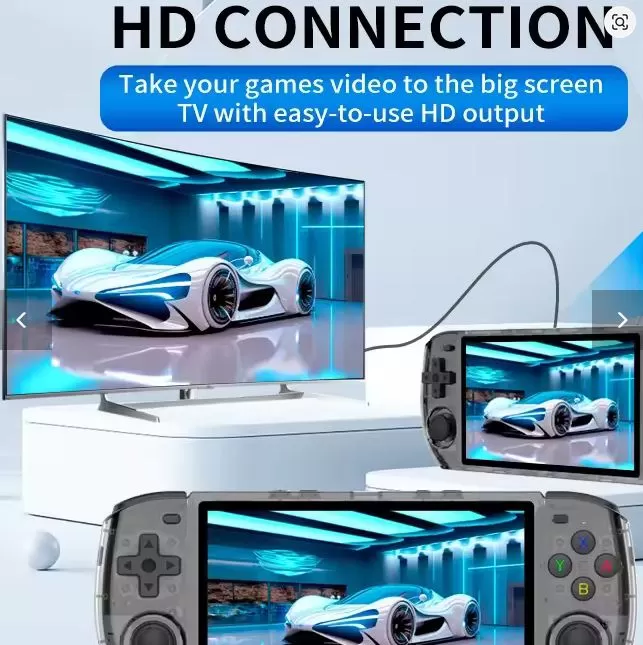
Bluetooth connectivity supports both wireless audio output and external controller pairing. Users can connect Bluetooth headphones for private listening during commutes or late-night gaming sessions, though some reviews note occasional Bluetooth stability issues that may require reconnection. External controller support expands gaming possibilities when connected to external displays via HDMI output.
The device features dual built-in 1-watt speakers that deliver surprisingly robust audio for the compact form factor. While not matching dedicated gaming headphones in fidelity, the speakers provide clear dialogue, recognizable sound effects, and adequate bass response for handheld gaming. Volume levels reach sufficient loudness for gaming in moderately noisy environments without distortion at maximum settings.
Physical Design and Build Quality
The RGB10 MAX3 measures 189.5mm × 76.5mm × 18mm, creating a horizontal form factor reminiscent of classic Game Boy Advance or PSP designs. This horizontal layout naturally accommodates modern gaming ergonomics while providing adequate spacing for comfortable button placement during extended sessions.
Build quality represents a noticeable improvement over previous POWKIDDY offerings like the X55 and RGB30, with reduced flex in the shell and tighter component tolerances. The device utilizes plastic construction with electronic components housed in either Transparent Blue or Yellow color schemes, with additional colors planned for future releases. The translucent shells showcase internal components and circuitry, appealing to enthusiasts who appreciate visible technology.
The button layout includes a traditional D-pad on the left, dual analog sticks positioned below the face buttons and D-pad, a standard ABXY face button cluster on the right, and shoulder buttons (L1/L2, R1/R2) along the top edge. The D-pad delivers solid performance for 2D platformers and fighting games, with distinct directional inputs and minimal accidental diagonal presses. However, some users report the D-pad feeling slightly mushier than premium alternatives like Anbernic's offerings.
The analog sticks utilize standard potentiometer-based sensors that provide adequate range of motion for most applications. Testing reveals generally good circular motion tracking, though PSP emulation occasionally exhibits reduced range in specific directions, achieving 100% deflection primarily on left and upper axes. This limitation rarely impacts gameplay significantly but may affect camera control precision in certain titles.
Bottom-edge connectivity includes dual USB-C ports (one for charging, one for data), the dual microSD card slots, and a 3.5mm headphone jack for wired audio output. The top edge houses the power button, volume rocker, and shoulder buttons in easily accessible positions.
Software Experience and Operating System
ROCKNIX Firmware
The RGB10 MAX3 runs ROCKNIX, a Linux-based open-source firmware specifically optimized for retro gaming handhelds. ROCKNIX represents a fork of earlier firmware projects, incorporating community-driven improvements, regular updates, and extensive emulator support. The firmware utilizes mainline Linux kernel with Mali GPU drivers supporting GLES 3.2 and Panfrost drivers providing GL 3.1/GLES 3.1 compatibility.
The user interface centers around EmulationStation, a popular frontend that organizes game libraries into system-specific categories with metadata, boxart, and gameplay video support. Navigation proves intuitive with responsive menus, customizable themes, and comprehensive configuration options accessible without command-line intervention.
ROCKNIX provides extensive configuration options directly within EmulationStation menus, including per-game emulator selection, graphics enhancements, control remapping, and performance tweaking. The system settings menu offers overclock functionality enabling 2GHz CPU operation for demanding titles, alongside the previously mentioned undervolt options for power savings.
Emulator Library and Compatibility
The RGB10 MAX3 supports an extensive library of emulators spanning gaming history from early arcade systems through sixth-generation consoles. Confirmed compatible systems include:
8-bit and 16-bit Consoles: NES, SNES, Sega Genesis/Mega Drive, Sega Master System, TurboGrafx-16/PC Engine, all running at full speed with enhancement options like scanline filters and CRT shaders.
Handheld Systems: Game Boy, Game Boy Color, Game Boy Advance, Game Gear, Neo Geo Pocket, WonderSwan, running flawlessly with excellent battery life.
32-bit Era: PlayStation 1, Sega Saturn (select titles), with PS1 games running via DuckStation emulator offering texture upscaling and widescreen hacks.
64-bit and Sixth Generation: Nintendo 64 (hit-or-miss performance), Dreamcast (generally good), Naomi arcade, Atomiswave arcade, Nintendo DS (full compatibility).
Portable Gaming: PSP via PPSSPP standalone emulator, with many titles achieving playable framerates when optimized.
Arcade Systems: MAME, FinalBurn Neo, with extensive ROM set support for classic arcade titles.
The device also supports PortMaster, an impressive ecosystem of native Linux game ports including titles like Cave Story, AM2R, Celeste Classic, and many indie games specifically optimized for handheld Linux devices. These ports often run better than emulated versions and expand the device's capabilities beyond pure emulation.
Hotkey Configuration and Controls
ROCKNIX implements comprehensive hotkey systems that vary by emulator, providing essential functions like save states, quick menu access, and fast-forwarding without interrupting gameplay. The firmware automatically configures RetroArch hotkeys based on detected controller layout, ensuring consistent behavior across LibRetro-based emulators.
Standard RetroArch hotkeys include SELECT+START for quitting games, SELECT+R1 for save states, SELECT+L1 for load states, SELECT+X for opening the RetroArch menu, and SELECT+R2 for fast-forwarding. These combinations prove intuitive and accessible without requiring finger gymnastics during gameplay.
Standalone emulators like PPSSPP, Mupen64Plus, and DuckStation implement custom hotkey schemes optimized for their specific requirements. PPSSPP maps L3 to menu access, R2 to save states, and L2 to load states, providing quick access to essential functions without conflicting with game controls.
Global hotkeys accessible across all applications include L1+START+SELECT for force-quitting applications, SELECT+Volume buttons for brightness adjustment, and START+Volume buttons for LED control. These system-level shortcuts prove invaluable when troubleshooting frozen applications or adjusting settings mid-session.
Gaming Performance Analysis
8-bit and 16-bit Excellence
The RGB10 MAX3 absolutely excels when running 8-bit and 16-bit era games, delivering flawless performance with headroom for enhancements. NES classics like Super Mario Bros. 3, The Legend of Zelda, and Mega Man 2 run at perfect 60fps with options for sprite deduplication, overscan cropping, and authentic audio resampling.
SNES emulation proves equally impressive, handling demanding titles like Star Fox, Super Mario RPG, and Yoshi's Island at full speed with transparency effects and enhancement chips properly emulated. The higher resolution display beautifully showcases SNES pixel art, with optional scanline filters adding authentic CRT aesthetics without performance penalties.
Sega Genesis and 32X games run flawlessly, with the RK3566's processing power easily handling blast processing and add-on chip requirements. The D-pad proves particularly well-suited for Genesis classics, providing precise 8-way directional input for platformers and fighting games alike.
PlayStation 1 Performance
PS1 emulation represents one of the RGB10 MAX3's strongest capabilities, running virtually the entire library at full speed through the DuckStation standalone emulator. The emulator offers extensive enhancement options including internal resolution scaling up to 8x native, PGXP perspective correction eliminating polygon wobble, texture filtering, and widescreen hacks for supported titles.
Testing with demanding PS1 titles like Final Fantasy VII, Metal Gear Solid, Gran Turismo 2, and Crash Bandicoot reveals consistently smooth 60fps performance with 2x resolution scaling enabled. The higher internal resolution dramatically improves visual clarity on the 720p display, reducing pixelation and jagged edges while maintaining authentic lighting and effects.
DuckStation hotkeys integrate seamlessly with the RGB10 MAX3's control scheme, with SELECT+R1 saving states, SELECT+L1 loading states, SELECT+X opening the quick menu, and SELECT+START quitting games. The fast-forward function via SELECT+R2 proves particularly useful for grinding or skipping cutscenes in RPGs.
Nintendo 64 Challenges and Successes
N64 emulation on the RGB10 MAX3 delivers mixed results depending on individual game optimization and complexity. Well-optimized first-party titles like Super Mario 64, Mario Kart 64, The Legend of Zelda: Ocarina of Time, and Star Fox 64 run at full speed with accurate graphics rendering.
More demanding titles including Perfect Dark, Conker's Bad Fur Day, and Rogue Squadron exhibit frame drops during intensive sequences, though often remain playable with minor performance compromises. Games utilizing the Expansion Pak or complex real-time lighting effects push the RK3566 to its limits, occasionally requiring resolution reduction or frameskip activation.
The Mupen64Plus standalone emulator provides extensive per-game configuration options accessible through EmulationStation's advanced game options menu. Users can swap L and Z button mappings between L1/L2 shoulders, adjust graphics plugins, and create custom controller configurations for optimal compatibility.
The right analog stick maps to C-buttons by default, providing intuitive camera control in titles like Ocarina of Time and Majora's Mask. This control scheme feels natural for players accustomed to modern dual-analog conventions while maintaining compatibility with N64-specific control requirements.
PSP Gaming Experience
PSP emulation showcases the RGB10 MAX3's upper performance limits, with many titles achieving playable framerates when properly configured. PPSSPP standalone emulator includes extensive graphics and performance settings enabling users to balance visual quality against frame rate stability.
Less demanding PSP titles like Lumines, LocoRoco, Patapon, and puzzle games run at consistent 30-60fps without optimization. Action titles including God of War: Chains of Olympus, Grand Theft Auto: Liberty City Stories, and Tekken 6 require settings adjustments but deliver enjoyable experiences with minor compromises.
The most graphically intensive PSP games like Crisis Core: Final Fantasy VII, Metal Gear Solid: Peace Walker, and God of War: Ghost of Sparta may require resolution scaling to 1x native, frameskip enablement, or texture scaling reduction to maintain playable performance. Even with these adjustments, the ability to play PSP games on a $70 device represents remarkable value.
PPSSPP's control implementation feels natural on the RGB10 MAX3, with face buttons mapping to PSP button diamonds, analog sticks providing movement and camera control, and shoulder triggers offering L/R functionality. The hotkey implementation with L3 opening menus and R2/L2 handling save states proves intuitive and accessible during gameplay.
Dreamcast and Arcade Performance
Dreamcast emulation delivers surprisingly solid performance across much of the library, with 2D fighting games, arcade ports, and less graphically intensive 3D titles running at full speed. Classics like Crazy Taxi, Sonic Adventure, Marvel vs. Capcom 2, Street Fighter III: 3rd Strike, and Jet Grind Radio maintain consistent frame rates with accurate rendering.
More demanding Dreamcast titles like Shenmue, Resident Evil Code: Veronica, and Soul Calibur exhibit occasional frame drops during complex scenes but generally remain playable. The Flycast emulator powering Dreamcast emulation continues receiving optimizations, with performance improvements arriving through firmware updates.
Naomi and Atomiswave arcade boards share architecture with Dreamcast, resulting in excellent compatibility and performance. Fighting game enthusiasts will appreciate smooth arcade-perfect performance in titles like Marvel vs. Capcom 2, Capcom vs. SNK 2, and Guilty Gear XX, with the RGB10 MAX3's responsive controls enabling competitive play.
Comparison with Competing Devices
RGB10 MAX3 vs. POWKIDDY X55
Both devices share the RK3566 chipset, resulting in identical raw performance capabilities. The X55 offers a nice screen and sound quality but suffers from cheaper build quality that feels less substantial during extended gaming sessions. The RGB10 MAX3 addresses these concerns with improved construction, reduced shell flex, and better component integration.
Both devices run ROCKNIX firmware with identical emulator support and configuration options. The choice between them often comes down to form factor preference and build quality priorities, with the MAX3 representing the more refined evolution of POWKIDDY's RK3566 platform.
RGB10 MAX3 vs. Trimui Smart Pro
The Trimui Smart Pro occupies a different market position, offering significantly smaller portable form factor at a lower price point (typically $50-60) compared to the RGB10 MAX3's $70-90 pricing. The MAX3's RK3566 chipset delivers superior performance compared to Trimui's processor, enabling better N64, Dreamcast, and PSP emulation.
The Trimui Smart Pro excels in pocketability and retro aesthetic with its vertical Game Boy-inspired design, while the RGB10 MAX3 prioritizes screen size, ergonomics, and raw performance. The Trimui also offers full PortMaster compatibility, though the MAX3's more powerful hardware runs ports at higher resolutions and frame rates.
RGB10 MAX3 vs. Anbernic Competition
Anbernic devices utilizing the same RK3566 chipset (like RG ARC-D/S and RGB30) offer comparable performance but typically feature superior build quality, better D-pads, and more refined industrial design. However, Anbernic devices generally command premium pricing $20-40 above POWKIDDY's offerings for similar specifications.
The recently leaked Anbernic RG556 targets the same horizontal handheld market segment with more ergonomic design and potentially more powerful internals. However, the RG556's higher price point positions it as a premium alternative rather than direct competitor to the budget-focused RGB10 MAX3.
RGB10 MAX3 vs. RGB10 MAX Series
Within POWKIDDY's own RGB10 MAX lineup, the original MAX and MAX 2 utilize older, less powerful chipsets (Arcade 3326) that struggle with N64 and cannot handle Dreamcast or PSP emulation. The MAX 3 represents a substantial generational leap in performance capabilities, essentially rendering earlier MAX models obsolete except for buyers seeking absolute minimum pricing.
The MAX 3 Pro variant mentioned in some sources may refer to future releases with enhanced specifications, though no official announcements confirm such models at publication time. Current RGB10 MAX3 units represent the flagship of POWKIDDY's horizontal handheld offerings.
Pros and Cons Analysis
Strengths
Exceptional Value Proposition: At $70 with promotional codes (regular $90), the RGB10 MAX3 delivers RK3566 performance at prices typically reserved for much weaker hardware. This pricing makes high-quality retro gaming accessible to enthusiasts with limited budgets.
Gorgeous 720p Display: The 5-inch 1280×720 IPS panel with OCA lamination provides stunning visuals that rival devices costing twice as much. The 16:9 aspect ratio perfectly accommodates widescreen content while maintaining sharp pixel density.
Impressive Battery Life: 4-6 hours of gameplay depending on emulator demands ensures full gaming sessions without constant recharging anxiety. The fast charging capability minimizes downtime between sessions.
Open-Source Ecosystem: ROCKNIX firmware receives regular community updates, bug fixes, and feature additions without relying on manufacturer support. The active development community ensures long-term device viability.
Extensive Emulator Support: From Atari 2600 through PSP and Dreamcast, the device handles decades of gaming history with remarkable compatibility. The inclusion of PortMaster expands capabilities beyond pure emulation.
Dual microSD Configuration: Separating OS and games across independent cards simplifies backups, upgrades, and library management. Users can swap game collections without reinstalling firmware.
Built-in Wi-Fi: Wireless connectivity enables RetroAchievements, game scraping, and network play functionality without external adapters. The convenience of wireless metadata downloading enhances the user experience significantly.
HDMI Output: External display connectivity transforms the handheld into a home console when paired with Bluetooth controllers. This versatility adds value for users seeking multi-purpose devices.
Weaknesses
Build Quality Concerns: While improved over previous POWKIDDY offerings, construction still trails premium competitors like Anbernic. The plastic shell exhibits some flex under pressure, though normal gaming doesn't reveal structural issues.
Bluetooth Reliability: Some users report connectivity problems with Bluetooth audio devices and controllers, occasionally requiring reconnection. Firmware updates may address these issues over time.
Analog Stick Limitations: PSP emulation occasionally reveals restricted range of motion in certain directions, potentially affecting precision in camera-controlled games. This hardware limitation cannot be fixed through software updates.
Random Freezes: Occasional system crashes and freezes reported by some users suggest firmware stability improvements remain necessary. These issues appear relatively infrequent but warrant mention.
Type-C Charging Quirks: USB-C to USB-C charging configurations may not function properly with all cables and power adapters. Users should keep traditional USB-A to USB-C cables available for reliable charging.
1GB RAM Limitation: While adequate for current emulation needs, the 1GB memory ceiling prevents running Android or more demanding operating systems. Future-proofing considerations favor devices with expandable or greater RAM.
Speaker Placement: Bottom-mounted speakers can become muffled when hands cover the vents during gameplay. This design compromise affects handheld audio quality compared to front-facing speaker implementations.
Who Should Buy the RGB10 MAX3
Ideal Buyers
Budget-Conscious Enthusiasts: Gamers seeking maximum emulation capability per dollar will find exceptional value in the RGB10 MAX3's $70-90 price point. The device delivers performance typically reserved for $120-150 competitors.
PS1 and Dreamcast Fans: Players prioritizing fifth and sixth-generation console emulation will appreciate the device's strong performance in these systems. The large display and analog controls enhance these gaming experiences significantly.
Open-Source Advocates: Users who value community-driven development, regular updates, and customization freedom will appreciate ROCKNIX's open ecosystem. The active development community ensures continued improvements and support.
Horizontal Handheld Preference: Gamers who favor landscape orientation devices similar to PSP or Game Boy Advance SP will enjoy the RGB10 MAX3's form factor. The layout naturally accommodates dual-analog controls and widescreen gaming.
Children's Gift Consideration: Parents seeking age-appropriate retro gaming devices will appreciate the RGB10 MAX3's safe content library (dependent on ROM selection), durable construction, and excellent value. The device introduces children to gaming history at reasonable investment.
Consider Alternatives If
Premium Build Quality Priority: Users demanding absolute best construction should examine Anbernic alternatives despite higher pricing. The superior D-pads and refined industrial design justify premium costs for quality-focused buyers.
Maximum Portability Required: Individuals needing truly pocketable devices should consider Trimui Smart Pro or Miyoo Mini Plus vertical handhelds. The RGB10 MAX3's horizontal form factor prioritizes screen size and ergonomics over portability.
Android Platform Preference: Gamers wanting Android operating systems for streaming apps, modern indie games, and Google Play access need more powerful devices like Retroid Pocket 4. The RGB10 MAX3's Linux-only platform focuses exclusively on retro gaming.
Cutting-Edge Performance Needs: Players targeting GameCube, Wii, or PS2 emulation require substantially more powerful hardware. The RK3566 represents the ceiling for sixth-generation consoles and cannot handle seventh-generation systems.
Setup and Configuration Guide
Initial Setup
The RGB10 MAX3 typically ships with pre-installed firmware, allowing immediate gameplay upon inserting game ROMs. However, users seeking the latest ROCKNIX features should download current releases from the official ROCKNIX website, selecting RK3566-specific builds.
Firmware installation requires formatting the OS microSD card (TF1 slot) and flashing the ROCKNIX image using tools like Balena Etcher or Win32DiskImager. First boot initializes the system, expands partitions, and configures default settings before presenting the EmulationStation interface.
Game ROMs should be organized in the games partition following EmulationStation's directory structure, with subfolders for each system (psx, psp, n64, etc.). The dual-card configuration allows using the second microSD slot exclusively for games, simplifying organization and backups.
Optimization Recommendations
Enable Overclock for Demanding Systems: Access EmulationStation system settings and enable the 2GHz overclock option for improved PSP, N64, and Dreamcast performance. Monitor temperatures during extended sessions to ensure thermal management remains adequate.
Experiment with Undervolting: Test undervolt levels (L1, L2, L3) for systems like Game Boy Advance and PlayStation 1 that don't require full CPU performance. Successful undervolting extends battery life significantly without compromising performance in less demanding emulators.
Configure Per-Game Settings: Utilize EmulationStation's advanced game options to assign specific emulators, adjust resolution scaling, and customize controls for individual titles. This granular control maximizes compatibility and performance across diverse game libraries.
Enable RetroAchievements: Create an account on RetroAchievements.org and configure credentials in ROCKNIX network settings. Achievement hunting adds modern gaming progression mechanics to classic titles, extending replay value.
Install PortMaster: Download the PortMaster installation package and follow setup instructions to access dozens of native Linux game ports. These optimized titles often provide better performance than emulated alternatives while expanding the device's capabilities.
Final Verdict
The POWKIDDY RGB10 MAX3 succeeds admirably in delivering exceptional retro gaming value to budget-conscious enthusiasts, offering performance and features that consistently exceed its modest pricing. The device's strengths—gorgeous 720p display, solid battery life, extensive emulator support, and open-source ecosystem—far outweigh its limitations in build quality and occasional software instability.
For $70-90, buyers receive a capable handheld that confidently handles gaming libraries spanning from early 8-bit classics through demanding sixth-generation consoles and portable systems. The horizontal form factor, dual analog controls, and large screen create comfortable extended gaming sessions reminiscent of premium devices costing significantly more.
While premium alternatives from Anbernic offer superior build quality and refined details, the RGB10 MAX3 represents the intelligent choice for buyers prioritizing performance per dollar. The device proves that accessible pricing need not sacrifice capability, delivering authentic retro gaming experiences that honor classic titles while leveraging modern conveniences.
Whether introducing children to gaming history, building a portable retro gaming library on a budget, or seeking a secondary device to complement existing collections, the POWKIDDY RGB10 MAX3 delivers compelling value that makes it easy to recommend to virtually anyone interested in retro gaming in 2026.